
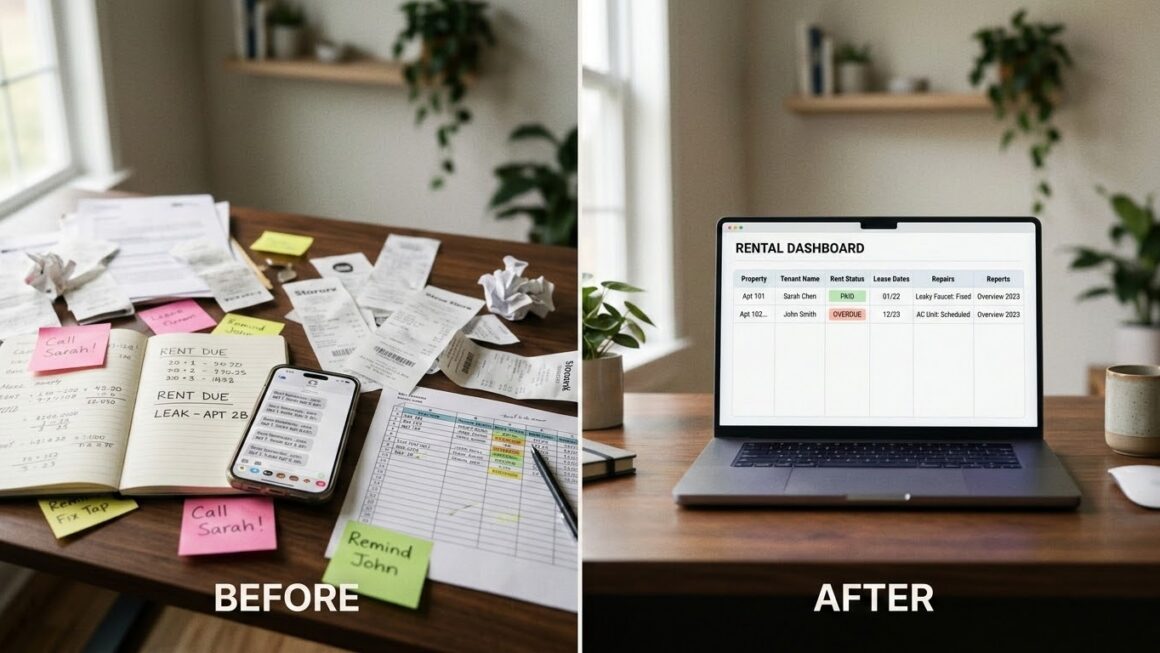

Most small landlords do not start with a system. They start with a rental unit, a tenant, a lease, an e-Transfer, a spreadsheet, and a few reminders on their phone.
That works until the moving pieces start bumping into each other.
A late payment needs follow-up. A repair receipt gets buried in an email. A lease renewal sneaks up. Tax time arrives, and the “simple” setup turns into a scavenger hunt.
Running like a pro does not mean becoming a large property management company. It means building a small landlord property management system that keeps rent, records, repairs, and reporting clear before things go sideways.
Key Takeaways
- Small landlords become reactive when rental information is scattered across spreadsheets, emails, texts, and bank records.
- A systemized workflow gives every recurring task a place: rent collection, tenant records, maintenance, lease dates, and reporting.
- Digital payments are now the norm. Payments Canada reported that digital payments made up 86% of total payment volume in Canada in 2024. (newswire.ca)
- Pendo Rent fits when Excel is no longer enough, but hiring a full property management team does not make sense.
- The best first workflow to systemize is usually rent collection because it affects cash flow every month.
Why Reactive Management Gets Expensive
Reactive management feels harmless at first.
You answer tenant messages as they come in. You check your bank account on rent day. You update the spreadsheet when you remember. You save receipts “somewhere safe.”
The cost shows up later.
A tenant says they paid, but you cannot quickly confirm the status. A fridge repair happens twice, but the first invoice is hard to find. Your accountant asks for income and expense records, and you are pulling numbers from bank exports, emails, folders, and spreadsheet tabs.
That is when a spreadsheet stops being a tool and starts becoming a risk.
The issue isn’t that Excel is bad — it’s that Excel was never built to handle rent collection, tenant reminders, receipts, leases, repairs, and audit trails in one connected workflow. We unpack this trade-off in more detail in Pendo Rent vs. Excel: When a spreadsheet stops being enough.
What a Systemized Landlord Workflow Looks Like
A systemized rental workflow answers simple questions quickly.
| Workflow | Reactive version | Systemized version |
| Rent collection | Check bank manually and follow up by text | Track payment status, receipts, reminders, and failed payments in one place – passively |
| Tenant records | Lease in one folder, notes in email, ID elsewhere | Tenant profile with lease details, payment history, and records connected |
| Repairs | Text a contractor, save invoice later | Log issue, date, vendor, cost, and outcome by unit |
| Lease dates | Remember renewal dates manually | Review lease and notice dates on a monthly schedule |
| Reporting | Rebuild the year at tax time | Track income and expenses throughout the year |
The goal is not to create more admin. It is to stop redoing the same admin every month.
Start With Rent Collection
Rent is the cleanest place to systemize because it repeats, affects cash flow, and creates the most awkward follow-ups.
A professional rent workflow should show:
- What amount is due.
- When it is due.
- Whether the tenant has authorized payment.
- Whether the payment is pending, failed, or completed.
- Whether the ledger and receipt were updated.
That is where online payments become more than convenience.
In Canada, a pre-authorized debit allows a biller to withdraw funds from a bank account when payment is due, and the tenant must give permission through a PAD agreement. The agreement should include details like amount and frequency, and tenants have cancellation and dispute rights under the PAD process. (canada.ca)
If you’re ready to move rent online, our walkthrough on how to set up online payments with PendoPay covers adding a bank account, inviting tenants, and tracking each payment from pending through to paid.
Clean Up Tenant Records Next
Rent collection is one part of the system. Tenant records are the next place small landlords feel the difference.
A complete tenant record should help you find:
- The signed lease and addenda
- Payment history
- Deposit records, where applicable
- Notices and renewal dates
- Inspection reports
- Maintenance notes
- Important communication history
This is also a privacy issue. The Office of the Privacy Commissioner of Canada says landlords must comply with PIPEDA or similar provincial privacy laws when handling tenant personal information. It also notes that landlord-tenant relationships can involve sensitive information such as banking details, financial records, ID numbers, photos, and credit-check information. (priv.gc.ca)
That makes “I’ll just keep it in my inbox” a weak long-term plan.
Make Maintenance Part of the Business Record
Maintenance is easy to underestimate.
A tenant reports a leaking tap. You text a plumber. The invoice comes in. You pay it. Problem solved.
Until the same issue happens again.
A systemized maintenance record should show the unit, date, issue, vendor, cost, photos if available, and whether the work was a repair or an improvement.
That last detail matters because tax treatment can differ. The CRA’s rental income guide explains that current expenses are recurring expenses that usually provide a short-term benefit, while capital expenses usually provide a benefit that lasts for several years and may need to be treated differently. (canada.ca)
You do not need to become a tax expert to run better records. You just need to stop treating every repair like an isolated event.
Move From “Spreadsheet Owner” to Operator
This is the main shift.
A reactive landlord tracks what happened. A systemized landlord can see what needs attention next.
That’s the gap Pendo Rent was built to fill. It’s designed for landlords and small property managers who run lean, manage tenant relationships directly, and need practical tools without the weight of an enterprise system — something we go deeper on in Why Pendo Rent is built for indie landlords.
The conversion angle is simple:
You can keep using Excel if it still works. But once you are tracking multiple tenants, payments, lease dates, repairs, and reports, the hidden cost is no longer the spreadsheet. It is the time spent checking, chasing, correcting, and rebuilding information.
Pendo Rent brings applications, leases, inspections, payments, tenant profiles, and reporting into one place. That is the workflow optimization story: less scattered admin, cleaner records, and a calmer way to manage work you already have to do.
A Simple 30-Day Systemization Plan
Do not rebuild everything at once. Start with one workflow and one measurable improvement.
Week 1: Map the mess
Write down where your rental information currently lives: spreadsheets, email, bank records, phone notes, paper folders, accounting software, and text messages.
Week 2: Pick the workflow causing the most friction
For most landlords, it is rent collection. For others, it might be repairs, tax records, or lease dates.
Week 3: Move that workflow into one system
If rent is the issue, set up online payments. If repairs are the issue, start logging every request by unit. If tax prep is the pain, clean up income and expense categories.
Week 4: Review what changed
Look for practical results: fewer follow-up messages, faster reconciliation, easier receipt access, cleaner records, or fewer missed dates.
This is where industry adoption matters. Payments Canada reported that Canada had 22.5 billion retail payment transactions in 2024, totaling $12.2 trillion, with digital payments representing 86% of total payment volume. (newswire.ca) Tenants are already used to digital payments for the rest of their lives. Rent should not feel like the one monthly payment stuck in 2014.
Common Mistakes to Avoid
Waiting until something goes wrong.
The best time to organize rent records is before a failed payment, dispute, or tax scramble.
Only tracking payment received, not payment status.
“Sent” and “cleared” are not the same thing. Your system should show what actually happened.
Keeping lease dates in memory.
Provincial rules matter. In BC, for example, landlords must provide at least three full months’ notice for a rent increase, and rent can only be increased once every 12 months within the yearly limit. (www2.gov.bc.ca) Dates deserve a system, not a sticky note.
Using too many tools.
One tool for payments, one spreadsheet for rent, one folder for leases, one inbox for repairs, and one phone for reminders creates avoidable drag.
Making the product switch too late.
If you wait until you are overwhelmed, cleanup becomes harder. Moving earlier gives you cleaner history from the start.
Where Pendo Rent Fits
Pendo Rent is a good fit when a landlord has outgrown “good enough” admin but does not need a big-company system.
It helps systemize the workflows that create the most day-to-day friction:
- Online rent collection through PendoPay
- Tenant profiles and lease records
- Payment tracking and receipts
- Inspection records
- Financial tracking and reports
- A dashboard view across properties and tenants
Start a free 30-day trial today to set up one workflow, test it with one property, and see how much admin you can remove before the next rent cycle.
For small property managers or landlords with multiple units, contact us for a demo and we’ll walk through how Pendo Rent can support your current workflow.
FAQ
Do small landlords really need property management software?
Not always. If you manage one simple tenancy and your records are clean, a spreadsheet may be enough. But once you are managing multiple tenants, lease dates, repairs, payments, and tax records, software can reduce the manual work that causes mistakes.
Is Excel bad for rental management?
Excel wasn’t built to manage rent collection, tenant reminders, receipts, leases, repairs, and audit trails in one connected workflow. See Pendo Rent vs. Excel for a full side-by-side.
What should landlords systemize first?
Start with the workflow that repeats monthly and affects cash flow: rent collection. After that, organize tenant records, maintenance, lease dates, and reporting.
Will tenants push back on online payments?
Some tenants may need a little guidance, especially if they are used to e-Transfer. Clear instructions, proper PAD authorization, receipts, and payment reminders can make the change feel more professional rather than more complicated.
Disclaimer:
This article is for informational purposes only and does not constitute legal advice. Always consult your local Residential Tenancy Branch or a qualified legal professional for advice specific to your situation.