
The five second check for whether you are looking at Pendo Rent 2.0 or Classic.
Open the Leases page #
Open Properties, then the Leases tab, and look at the list.
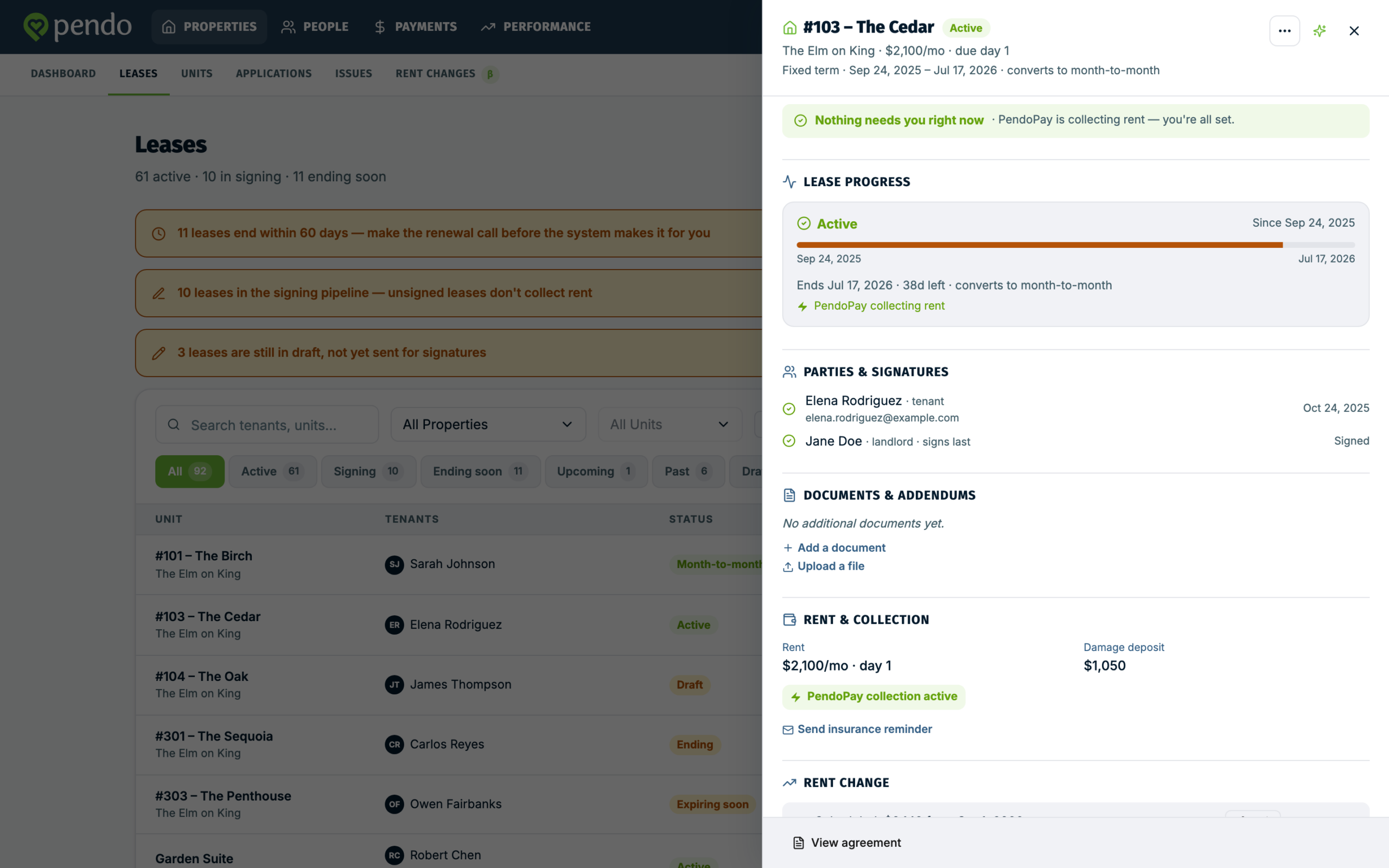
Pendo Rent 2.0 shows the new leases worklist: each lease is a card or row with a status badge, and clicking one opens a drawer on the right.
Classic shows the older leases report: one block per unit, a colour key for active, terminated and expired leases, and filter boxes across the top. It has no status badges and no Create lease button.
The page header is no help. It looks the same in both versions, on purpose.
Quick sanity check #
With Pendo Rent 2.0 on, Properties, Units and People are usually on the new screens too, though each one can be turned on separately, so an account can have some new and some Classic. Use the Leases page as the real check. A few sub-screens, editing a unit being the most common, may still open the Classic form.
Do not use the switch to tell #
The switch is not the answer. It shows in both versions, and most people never see it: only account owners get it, and some accounts do not have it.
Two leases, two sets of screens #
Screens follow the lease, not the account. A lease created in the new lease wizard keeps the new screens for life, even if the account switches back. A few leases carry an older agreement document, and those keep the Classic screens even if they were started in the new wizard. One account holding both is normal.
More: Switching between Classic and Pendo Rent 2.0
If an article did not match your screen #
Check the Leases page, then reopen the version of that article that matches. Classic and Pendo Rent 2.0 articles sit in separate sections, and each says at the top which screens it covers.