This article is for landlords and property managers. To send something to your tenant, use: Signing your lease online: what to expect.
This article covers Pendo Rent 2.0 screens. Which screens a lease opens depends on the lease itself, not your account switch. Not sure which you're looking at? See: Which version am I looking at?
Your tenant's side is short and plain. Here is what they get, so you can answer them without guessing.
The email #
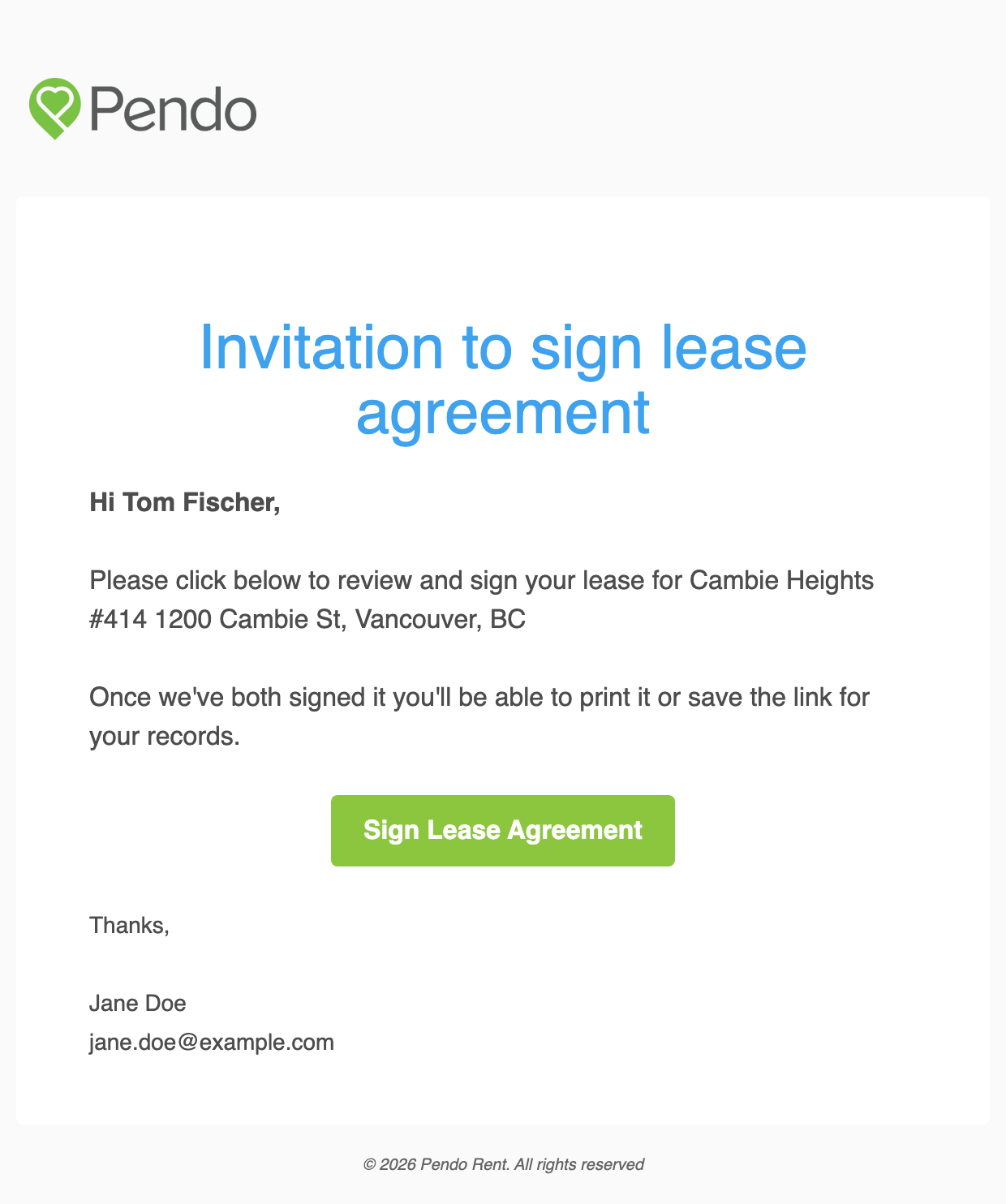
Pendo emails each tenant a signing link. The email comes from Pendo, not from your own address. It names the property and unit, and it is signed off with your name and email address, or with the email signature saved on your account if you have one. Tenants who have never heard of Pendo recognise it by the property and your name, so it helps to tell them to expect it.
The signing page #
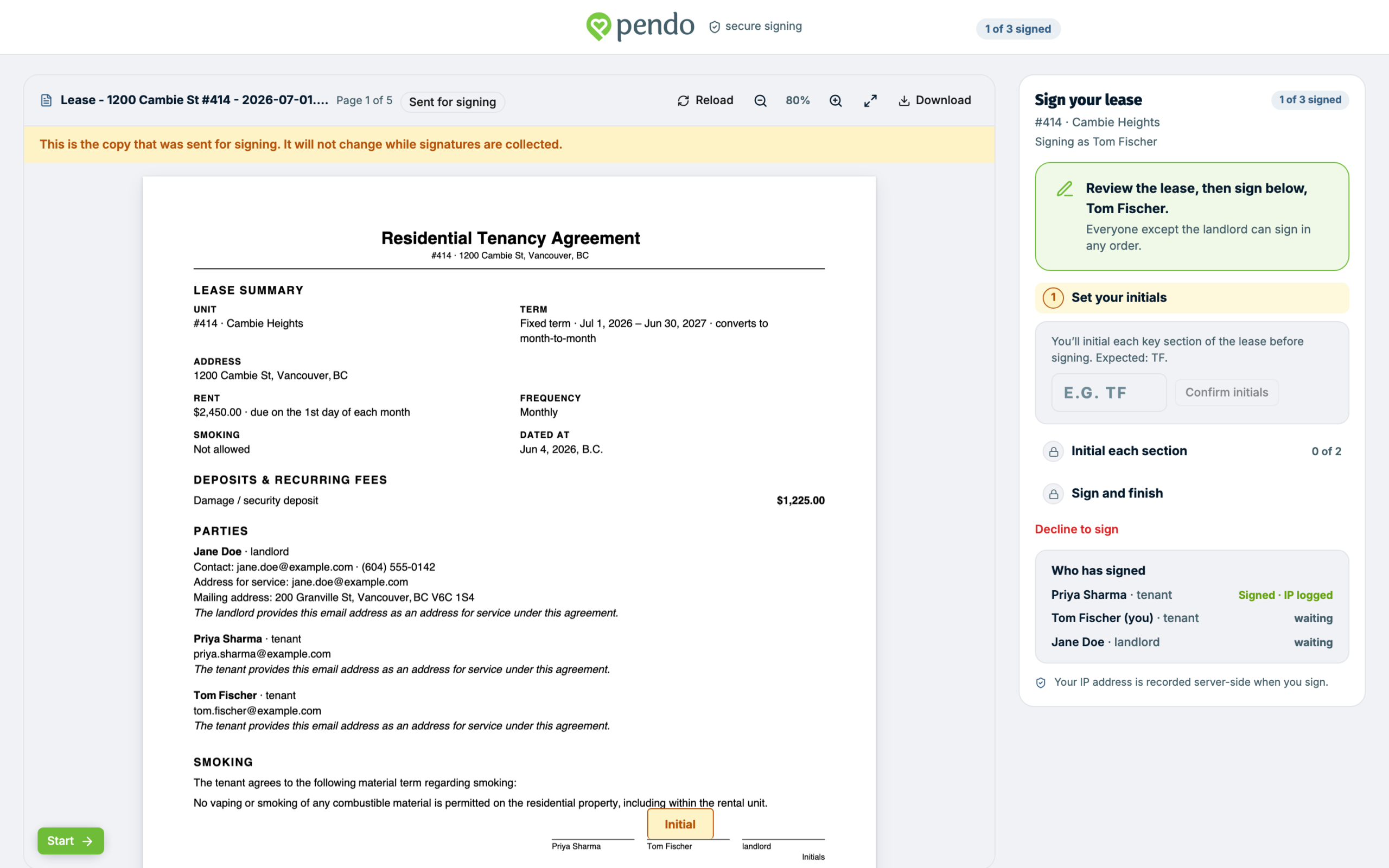
The link opens the lease as a PDF, with a Sign your lease panel beside it. The panel names who they are signing as and lists Who has signed, with anyone still outstanding marked as waiting. On a phone the same steps sit in a bar at the bottom of the screen.
The tenant reads the agreement, then works through the steps in the panel:
- Set your initials. They type the initials Pendo expects from their name.
- Initial each section. They initial each key section on the document.
- Sign and finish. They draw a signature or type their name, then click Sign and finish.
If you turned initials off for this lease, only the last step shows. Draw and type are the only two options, and Pendo does not check that a typed name matches the one on the lease.
The document is marked Sent for signing and does not change while signatures are collected. If you edit the lease while a tenant has it open, their signature is not recorded against the old version. Pendo shows them the new one and asks them to read and sign that.
Older leases open different pages. A lease you sent before PDF signing arrived still shows the agreement as a web page with the signature at the bottom. If nobody has signed it yet, it becomes a PDF the next time you resend or edit it. If somebody has, it stays as it is unless you use Revise & resend. A lease created in Classic opens a page that only lets them draw, and has no decline button. If a tenant tells you their screen does not match this, that is why.
What your tenant can and cannot do #
They can read the full agreement, initial and sign it, and decline it with an optional reason. Once everyone has signed, they can download the signed PDF.
A pet agreement is a separate document with its own email and its own link. The tenant fills in the pet's details there, not on the lease.
They cannot change any term. They cannot sign for anyone else, and they cannot see anything else on your account. There is no "request changes" control, so declining is their only way to push back. Companion documents like a pet agreement or Form K cannot be declined at all, so a tenant unhappy with one has to come back to you.
If someone declines, the lease shows Declined and the banner names the person who declined. If they left a reason, it is under Activity & notes: find the decline entry and click View reason. Then agree the changes with them, use Revise & resend, and send it again.
No account, and why the email must not be forwarded #
Signing needs no account and no password. The emailed link is what identifies the signer.
That's why tenants must not forward it. Anyone holding that link can sign as them.
Pendo never asks for a SIN, banking details, or a password to sign a lease. If a tenant is asked for any of that, it isn't us.
When there are co-tenants #
Everyone except you can sign in any order. Until every tenant, and any owner you asked to sign, has signed, the lease is not final. A tenant who has signed sees that they're waiting on the others. They get no email at that point, and none as each co-tenant signs. If one asks whether their signature landed, check Parties & signatures.
What they get at the end #
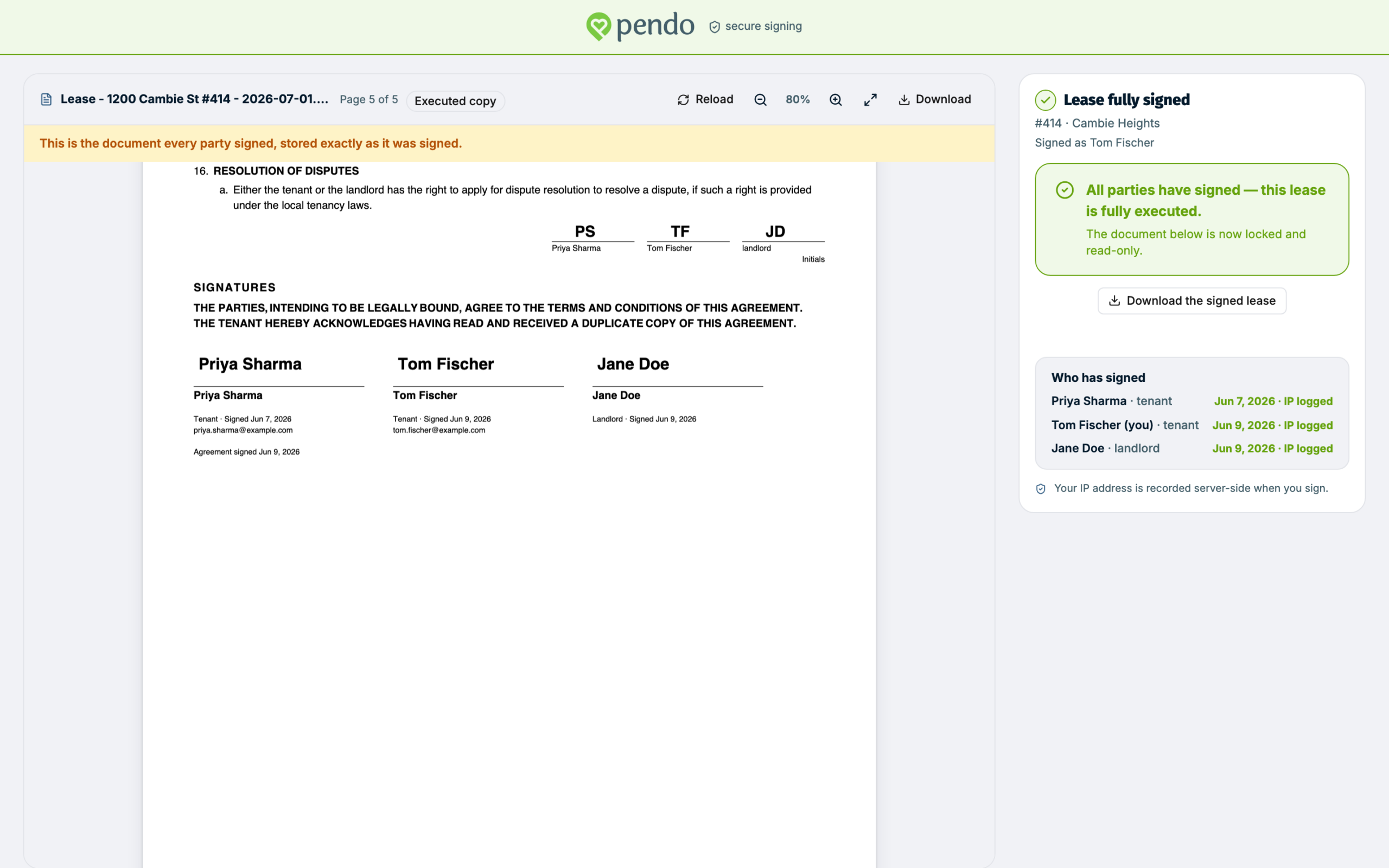
Once everyone has signed and you countersign, the tenant gets an email with the signed lease attached as a PDF, plus a link to open it online. The signing page shows Lease fully signed, the document is marked Executed copy, and Download the signed lease saves the PDF.
The link keeps opening the signed lease for at least a year after signing. If the lease runs longer than that, it keeps working until 90 days after the lease's end date.
On an older lease that was not signed as a PDF, the email carries the link only, and the page offers Print instead of a download.